-
 mariahlove84
Please help me find the 5 forms I created last week! I have a meeting in 2 hours and don't see them as saved!
-
 Podo: Support Specialist
Hi Mariah,
Thanks for reaching out to Jotform Support. I'm an AI assistant here to assist you.
Let me help you with that:
If the 5 forms you created last week were accidentally deleted, you may be able to restore them from Trash, as long as it’s been less than 30 days and they weren’t purged.
On a computer (Workspace in a browser)
- Go to your Workspace.
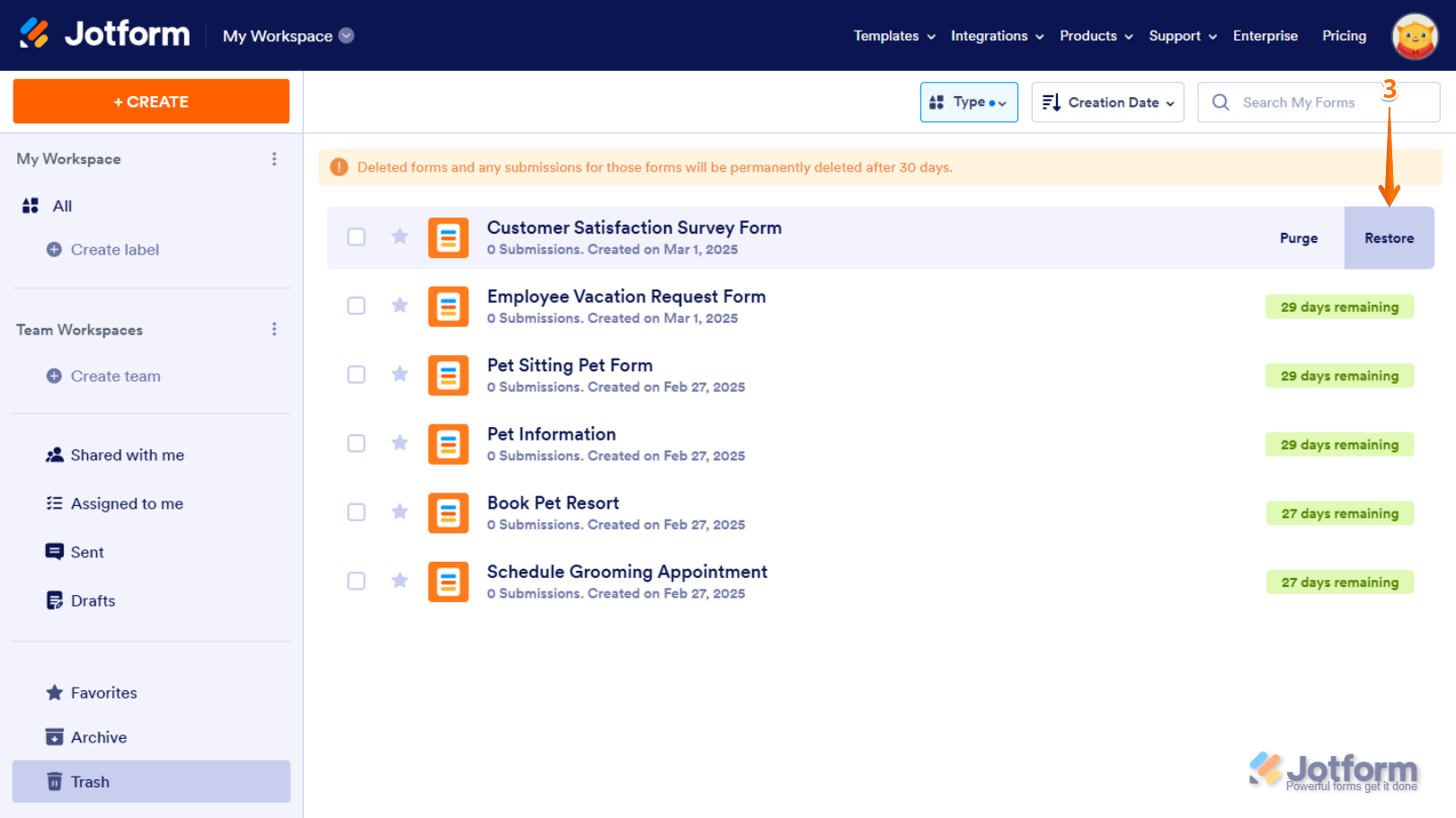
- Click on Trash on the bottom-left side of the screen.
- Click on Type at the top, and in the dropdown uncheck everything except Forms so only forms are listed.
- Look through the list for the forms you created last week, then hover over a form and click Restore on the right.

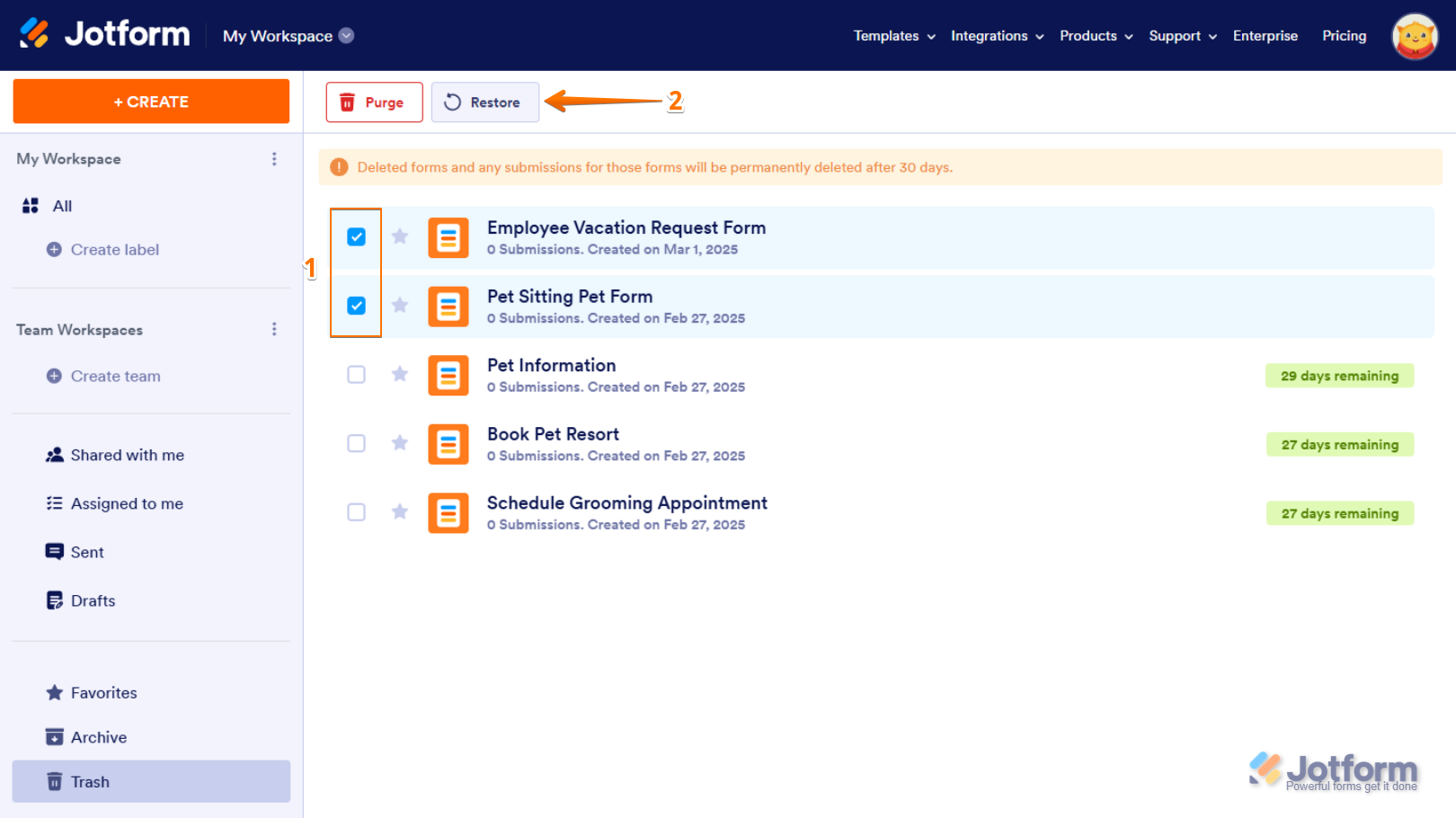
To restore multiple forms at once
- While still in Trash with Type filtered to Forms, check the boxes next to all 5 forms.
- Click on Restore at the top of the page.
After restoring, the forms will be enabled again and moved back to your main Workspace list.
Important note: Forms stay in Trash for 30 days. If they were purged from Trash or deleted more than 30 days ago, they can’t be restored.
If you were working on mobile and deleted them there, you can also check Trash in the Jotform Mobile Forms app:
- Open the Jotform Mobile Forms app and go to your Workspace.
- Tap on the three lines icon in the bottom right.
- Tap on Trash, select the form, then tap Restore at the bottom.
If you still don’t see the forms in Trash or in your Workspace after checking this, they may not be recoverable.
Give it a try and let us know how it goes.

Your Reply
Something Went Wrong
An error occurred while generating the AI response. Please try again!