-
 ravencrestchalet
 -
 Kris JotForm Support
Hi ravencrestchalet,
Thanks for reaching out to Jotform Support. The Airtable integration records are created and updated based on actual form submissions sent from Jotform to Airtable via the integration you set up. Because of this, saved progress or partial entries from users won’t be passed over to Airtable. This all applies to all integrations.
Reach out to us if you need any more help.
-
ravencrestchalet
Gotcha, thank you! Do you know how these entries were created? Jotform is the only database that is linked with Airtable which is why I wondered if partial or saved entries were being synced.
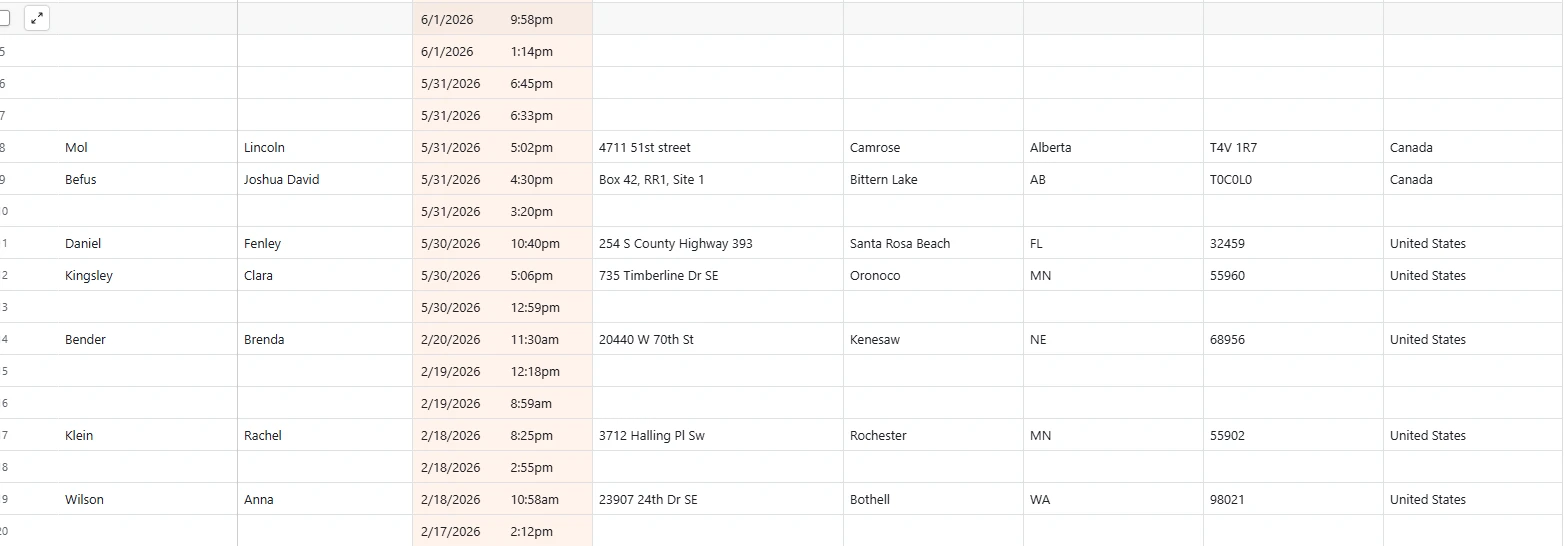
I'm attaching a picture of what the blank entries in Airtable look like - sometimes they're lumped together but others are sprinkled in-between complete entries.

-
 Royce JotForm Support
Hi ravencrestchalet,
For any API-related questions, such as integrations, you can fill out our Jotform API Contact Form or email our API team through their email address, which is api@jotform.com, and our API team will email you. Also, I checked your form but the Action Logs in the Airtable integration in that form doesn't match the records in the screenshot you've shared with us.
Can you share with us the link to your form so we can take a look for you?
Once we hear back from you, we can help you sort this out.
-
ravencrestchalet
Hi Royce,
Some of the entries should match the form you linked which is our Bible School Application:
Rachel Klein
Clara Kingsley
Joshua David Befus
Lincoln Mol
The other form (for Anna Wilson) is this URL - https://form.jotform.com/241915493592162
And Brenda Bender is this URL - https://pci.jotform.com/form/71935631060149
Thank you for the API team contact info, I've reached out to them.
-
 Rehan Support Team Lead
Hi ravencrestchalet,
I've been testing Airtable integration in clones of your form. I attached the same Airtable with both cloned forms. Then I sent some test submissions on the form, but I was unable to replicate the issue here. Here is a screenshot of the submissions I received in Airtable:
Can you also consult with Airtable support? They might be able to see the source of the blank entries on their end.
Reach out again if you need any other help.

Your Reply
Something Went Wrong
An error occurred while generating the AI response. Please try again!