-
 Riley_Alex
Hello,
I have same issue as ticket 32132881. And I need my forms to be white listed for the recaptcha.
we are using this form for hundreds of entries a day and entering captcha is a significant bottle-neck.
-
 Podo: Support Specialist
Hi Alex,
Thanks for reaching out to Jotform Support. I'm an AI assistant here to assist you.
reCAPTCHA on Jotform forms is an automatic security measure that appears when our system detects patterns that look like bot activity. It is not possible to whitelist or completely exempt specific forms or accounts from this behavior.
Here’s how it works and what you can do to reduce how often it appears:
reCAPTCHA can be triggered when:
- There are too many submissions in a short period, or
- Many submissions come from the same user or IP address.
This is designed to prevent spam and automated submissions.
To reduce the chance of reCAPTCHA appearing:
- Spread out submissions
Try to keep the submission rate under roughly 60 submissions per minute from the same IP/user. Very high-speed, repeated submissions from one network are more likely to trigger reCAPTCHA.
- Add your own CAPTCHA field to the form
Adding a CAPTCHA element (hCAPTCHA, reCAPTCHA, JotCAPTCHA, or a widget like Drawing Captcha) can help manage spam directly on the form and may reduce the need for additional automated checks.
Here’s how to do it:
- Go to your form in Form Builder.
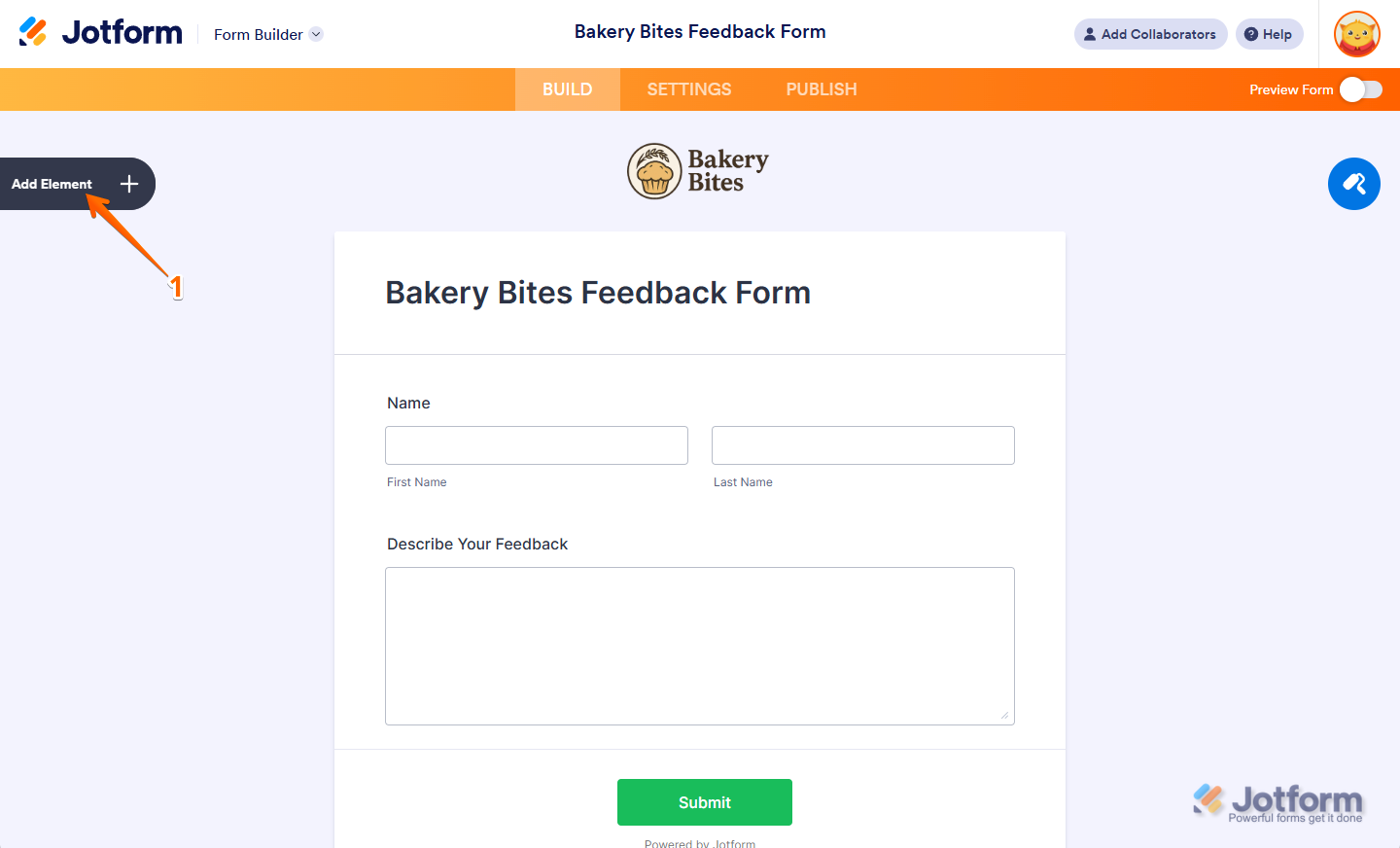
- Click on Add Element on the left side.
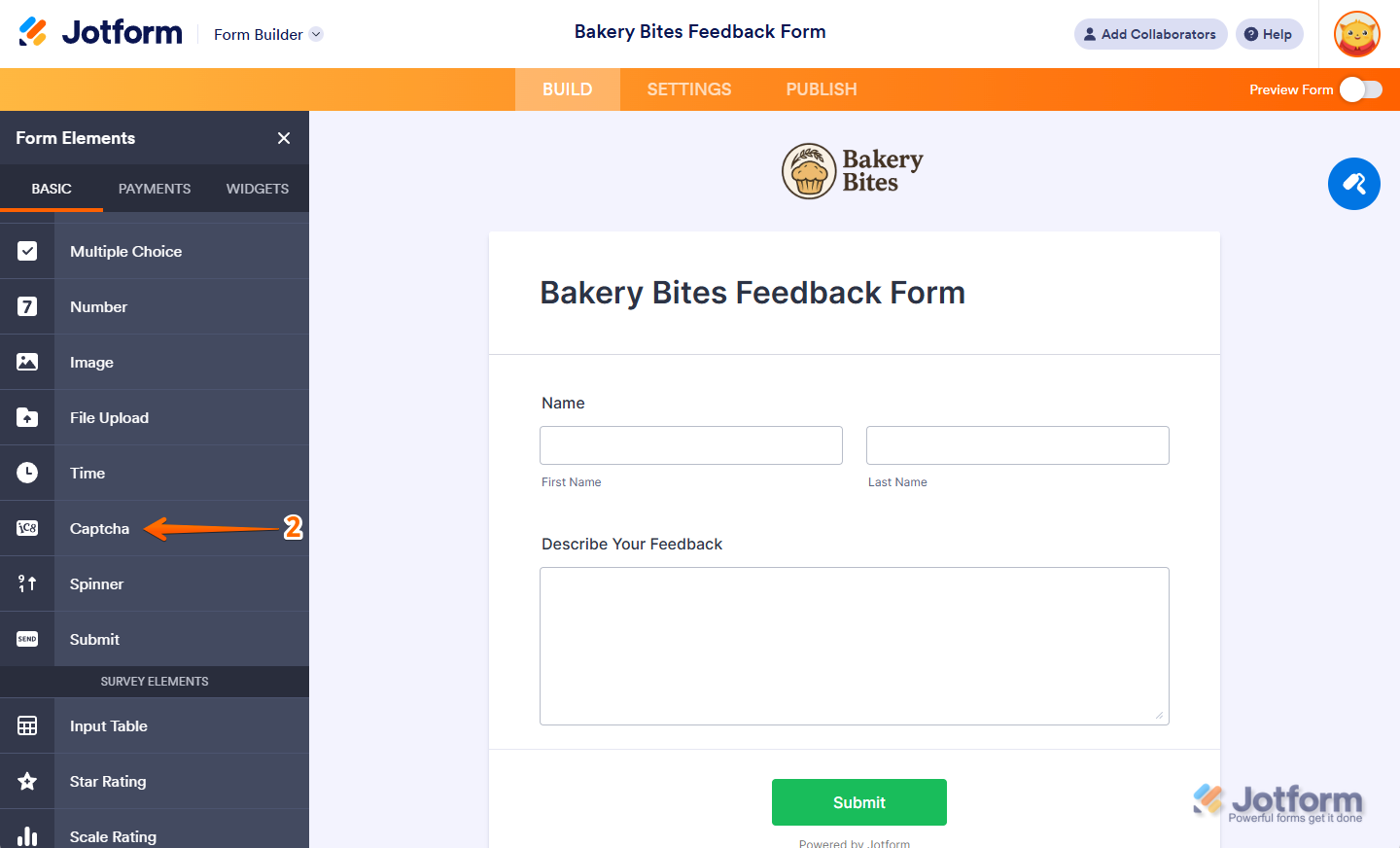
- Under the Basic tab, add the Captcha field to your form.
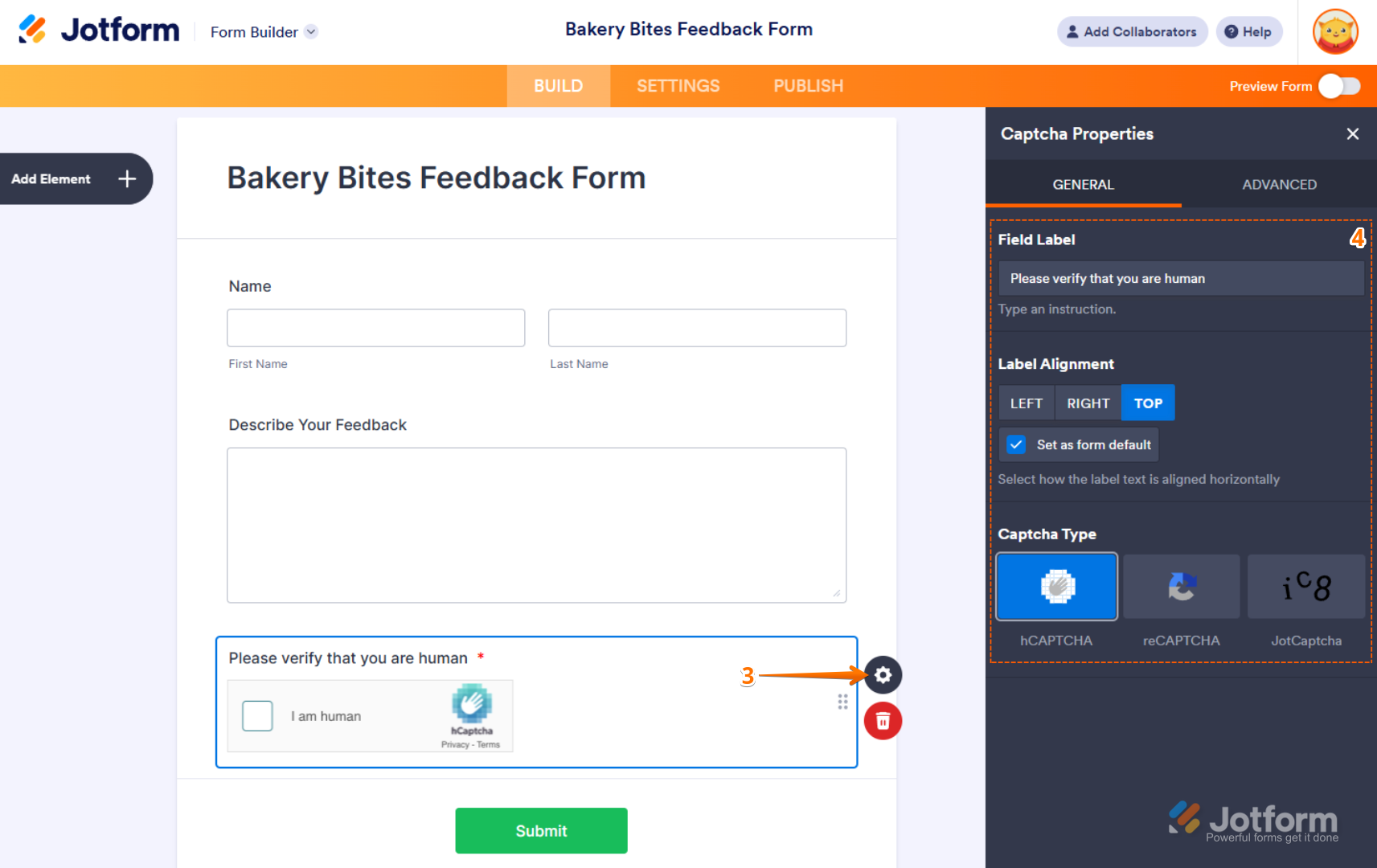
Here is how adding a CAPTCHA looks in Form Builder:

- Choose a user-friendly CAPTCHA type
In the CAPTCHA properties, you can select:
- hCAPTCHA (default)
- reCAPTCHA
- JotCAPTCHA (simple text-based)
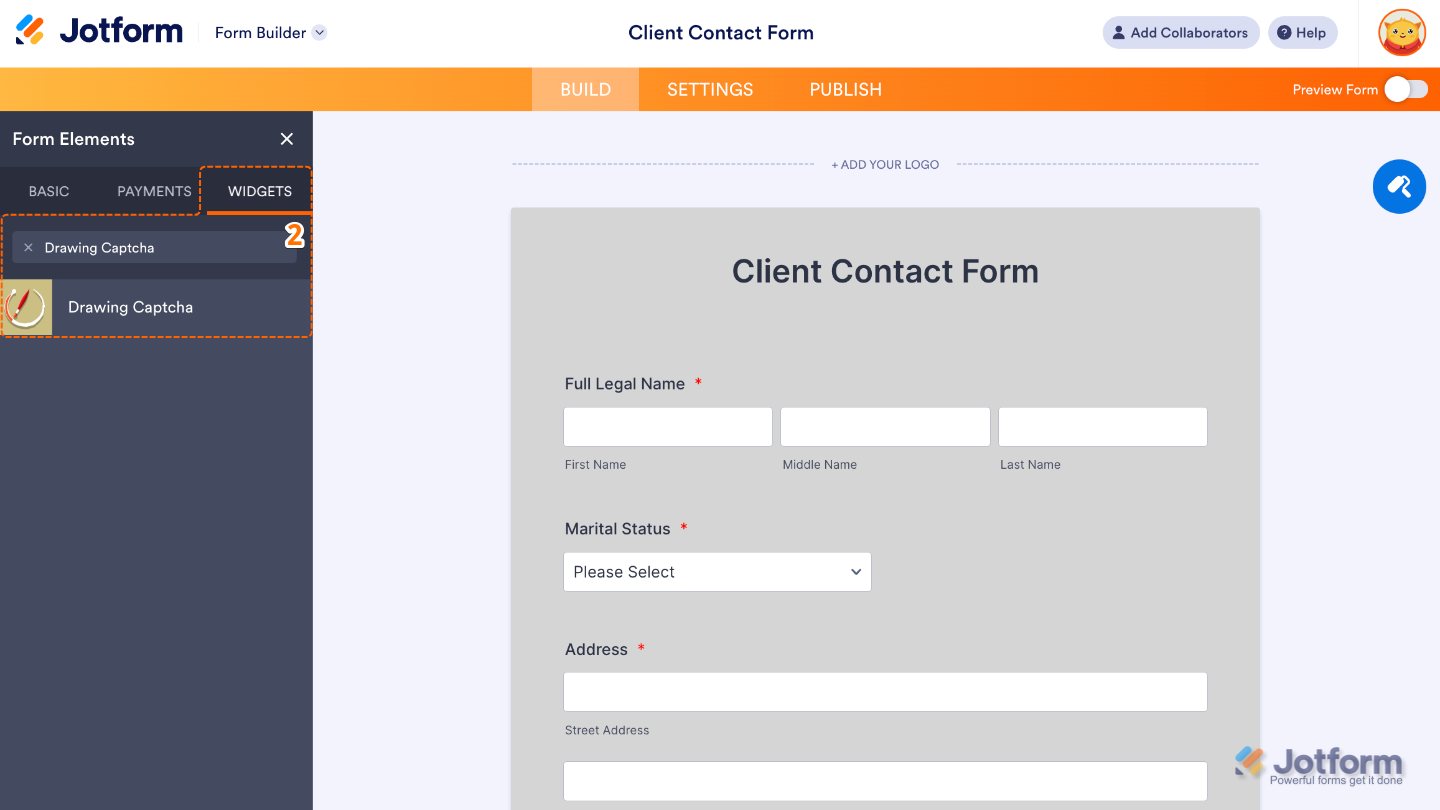
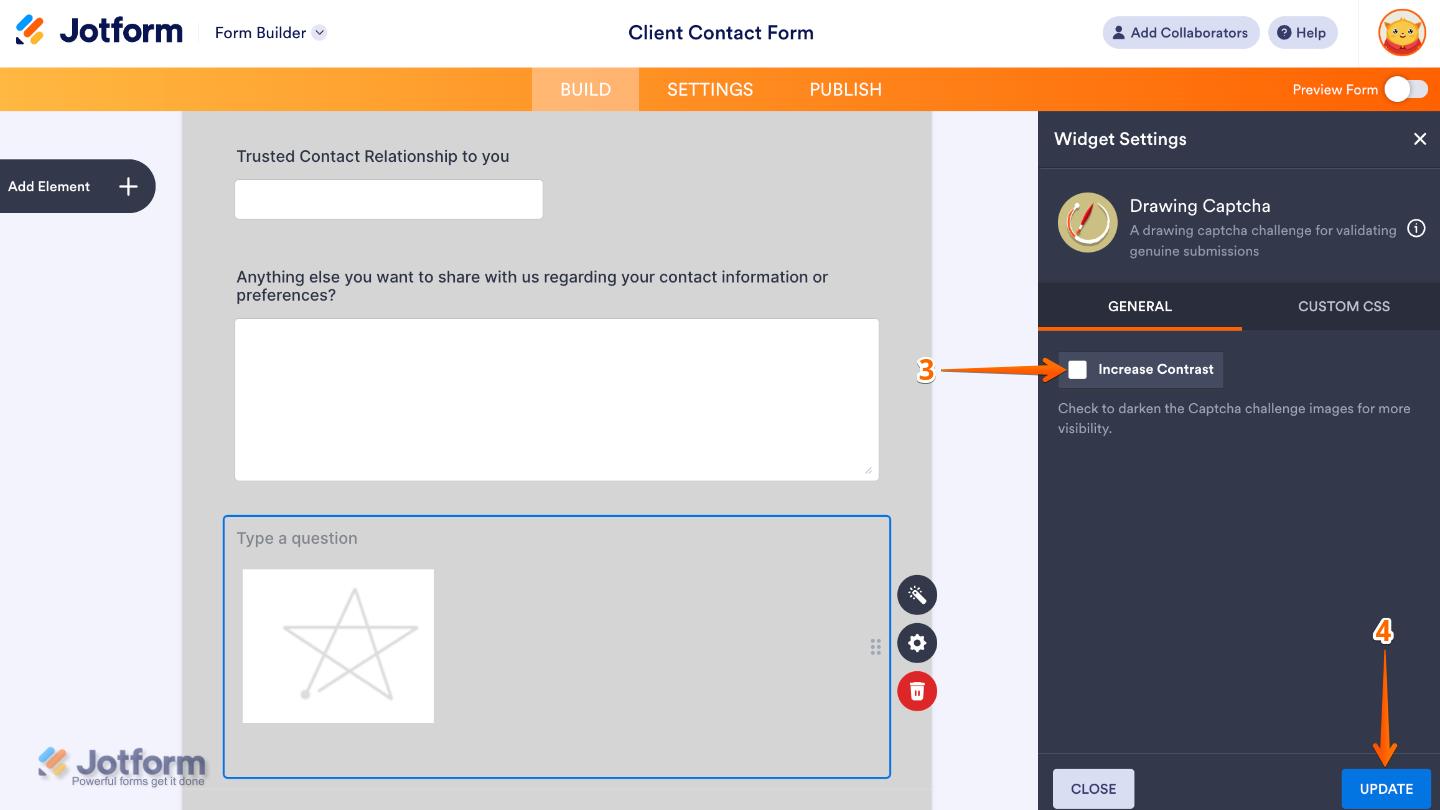
Or, if you want something faster and less intrusive for your users, you can use the Drawing Captcha widget, where users just trace a simple image instead of solving a complex puzzle:
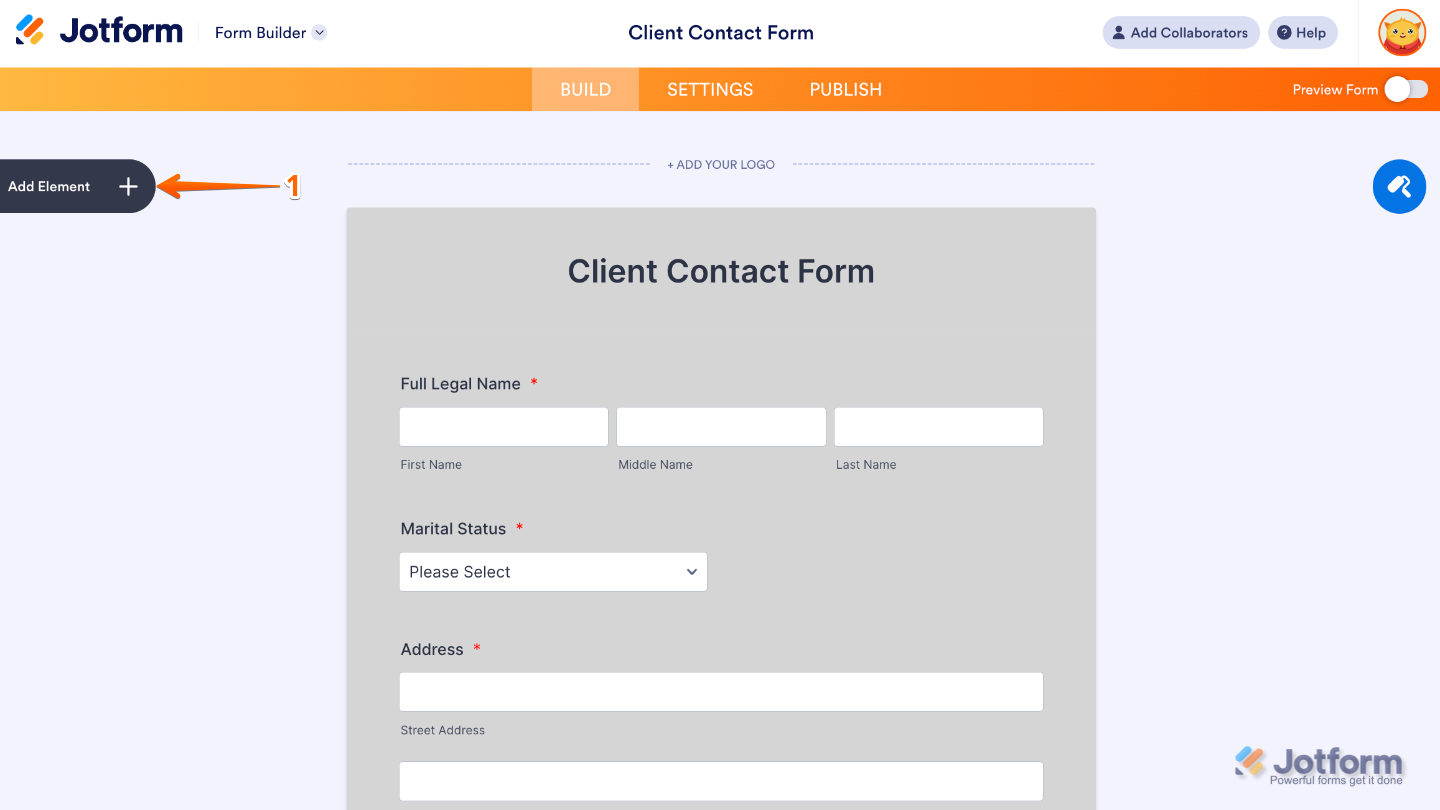
- Click on Add Element in Form Builder.
- Go to the Widgets tab and search for Drawing Captcha.
- Add it to your form and adjust its settings as needed.
Because the automated reCAPTCHA is part of our platform’s security layer, we cannot disable or whitelist it per form or per account, but adjusting your submission rate and using a built-in CAPTCHA option or widget can help make the experience smoother for your high-volume internal use.
Let us know if you have any other questions.

Your Reply
Something Went Wrong
An error occurred while generating the AI response. Please try again!