-
 Efron_Ben
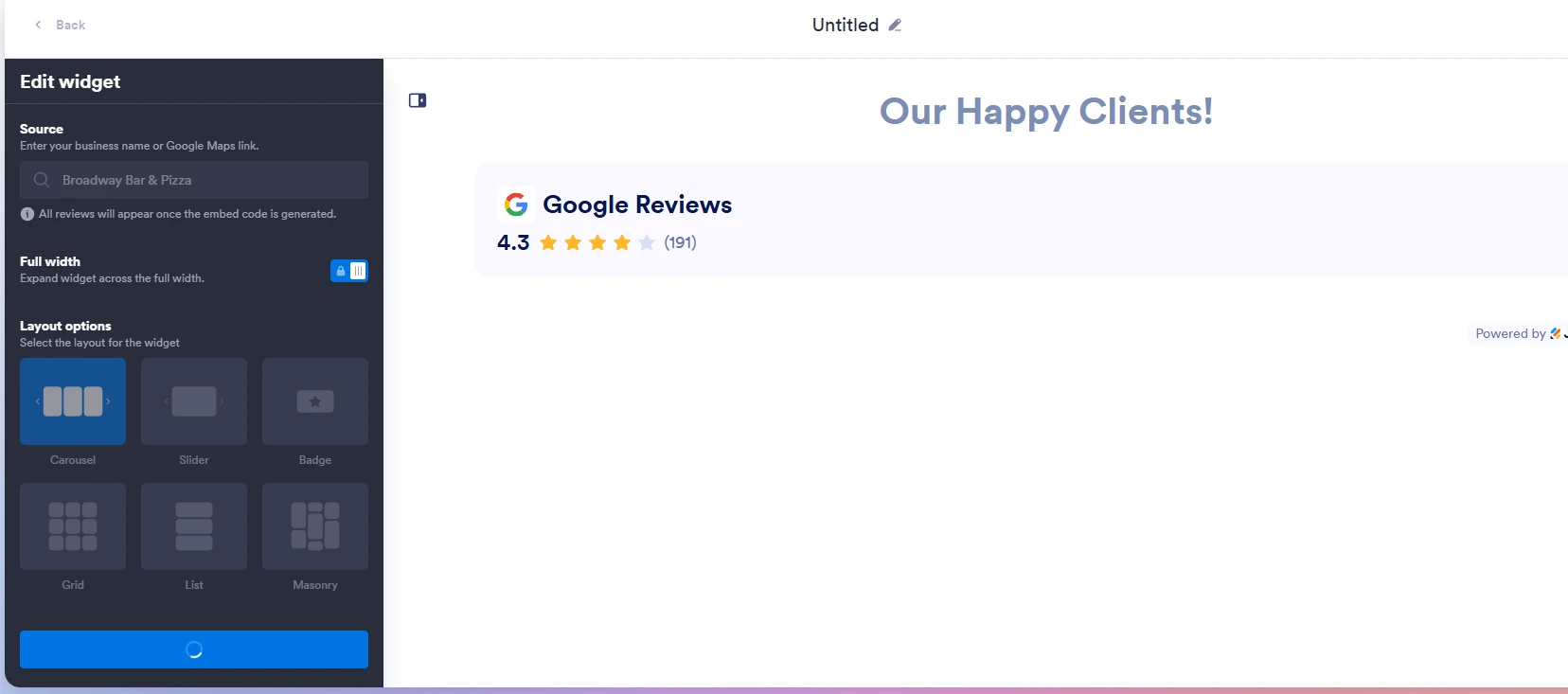
Morning - wondering if there's a current issue with setting up Website widgets. I've been trying to create a new google reviews widget and it keeps hanging. Eventually the wheel stops spinning and then nothing shows and I can't select continue or select any options.

-
 Podo: Support Specialist
Hi BlueCrest,
Thanks for reaching out to Jotform Support. I'm an AI assistant here to assist you.
At the moment, I do not have any specific information about a known issue with the Google Reviews widget hanging or failing to load its options during setup. The available information only covers how to add and configure other widgets in general, but it does not mention Google Reviews or any related loading issues.
Let me help you with that:
- Try adding another widget (for example, a simple widget like Review Before Submit or Google Fonts Picker) to confirm that widgets in general can be added to your form without issues.
- Check if the issue is specific to one form by creating a new, blank form and attempting to add the Google Reviews widget there to see if it behaves the same way.
- Note exactly where it hangs (for example, immediately after selecting the widget, or after a configuration screen appears) and, if possible, take a screenshot of the last screen you see before it stops responding.
After we hear back from you, we’ll have a better idea of what’s going on and how to help.
Let us know if you have any other questions.
-
Efron_Ben
It's these https://www.jotform.com/website-widgets/reviews/google/ widgets, not the ones embedded in forms.
-
Podo: Support Specialist
Hi BlueCrest,
Thanks for clarifying that you are using the Google Reviews website widget and not a form widget.
Based on the available information, the expected setup flow for the Google Reviews website widget is:
- Go to the Google Reviews widget page.
- In the Source search bar on the left, type your business name and select your Google Business Profile, or paste your Google Maps URL instead.
- Set Full Width and Layout Options, then click on Continue.
- Customize appearance options (Dark Theme, Title, Navigation Arrows, Pagination, Jotform Branding), then click Continue again.
- Configure header and review details (Widget Header, Header Title, Review Details, CTA Button, Button Text/Color, Text Color, Review Fields), then click Try it on your Website for Free.
- In the Embed window, click on Copy Code and paste that code into your website where you want the reviews to appear.
If the wheel stops spinning and you never reach the configuration or embed steps, here are a few checks based on the documented behavior and tips:
- Confirm your Google Business Profile has at least one review and that you can select it or its Google Maps URL in the Source search.
- Make sure your browser allows third-party scripts, as the widget relies on them to load and display content.
- Clear your browser cache and try again, or try a different browser/incognito window to rule out a local caching or extension issue.
Once the widget is created successfully, you can also manage it from the My Widgets area (via Website Widgets > View my Widgets) where you can edit, get the embed code again, or adjust visibility.
Give it a try and let us know how it goes.
-
Efron_Ben
tried in multiple browsers. It seems to be an issue with the widget creator at the moment
-
Podo: Support Specialist
Got it, thanks for checking across multiple browsers and for flagging this.
Since you already cleared your form and browser caches, to help us better understand the issue, could you share a screenshot of your browser’s Console Log? You can follow this guide to capture it: How to Get a Console Report from Most Common Browsers.
If you haven’t already, please also provide the exact page URL where you’re encountering the issue. Once we have those details, we can pass everything along for a deeper check. Let me know when you’ve got that info and we’ll go from there.
-
Efron_Ben
-
Podo: Support Specialist
Hi BlueCrest,
Thanks for sharing the exact URL.
The available information describes how the Google Reviews website widget is supposed to work and how to generate the embed code, but it does not mention any current issue with the widget creator hanging or failing to move past the loading step. It only notes general tips like making sure your business has a Google Business Profile with at least one review, and ensuring your website allows third-party scripts once you embed the widget.
Since you’ve already tried multiple browsers and are stuck before you even reach the configuration steps (Full Width, Layout Options, etc.), there is no additional documented workaround or fix that I can provide beyond what you’ve already done.
I don't know this information and our support team will handle your request.
Reach out again if you need any other help.
-
 Gemmhel Enterprise Support
Hi Efron_Ben,
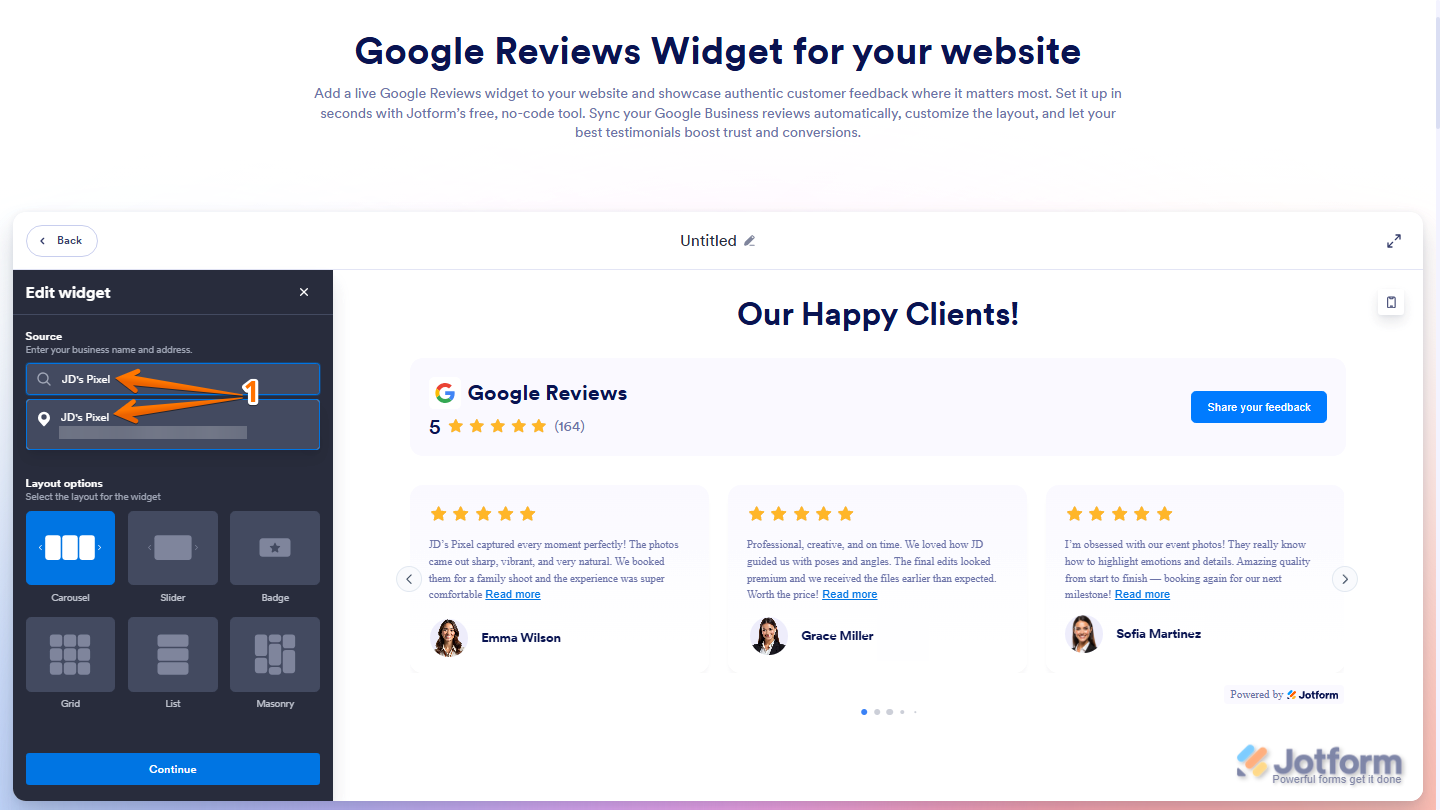
I tested the Google Reviews widget and tried to replicate the issue, but everything worked the way it should. Check out my results in the screencast below:
Can you try using a different internet connection and see if that helps resolve the issue? If this happens again, can you send a screenshot of your browser console logs? This helps us see any errors or messages that might be causing this behavior.
Once we hear back from you, we'll be able to help you with this.
-
Efron_Ben
Hey Gemmhel,
It looks like that may be the wrong screencast because that doesn't show anything about widgets. I'm referring the website widgets found here: https://www.jotform.com/website-widgets/reviews/google/
-
 Mikhail JotForm Support
Hi Efron_Ben,
When I opened the Google Reviews Widget page, everything worked the way it was supposed to. Take a look at the screenshot below to see my results:
Can you try to open the page using a different browser and using a different network connection? If you’re still having the same issue, we’ll look into it more to see if we can figure out what’s going on.
Give it a try and reach out again if you have any other questions.
-
Efron_Ben
Tried it on a different network, computer, and my phone from 5G and the same issue is persisting. The page will load, but as soon as you type in a location and select it, everything hangs up for a few minutes before just greying out Continue and not showing any results in the review area. Tried multiple locations so I know it's not an issue with the particular google address I'm entering.
-
 Keenly JotForm Support
Hi Efron_Ben,
I’ve gone ahead and reported this to our Developers so they can figure out what’s going on. We’ll be back with an update as soon as we can.


Your Reply
Something Went Wrong
An error occurred while generating the AI response. Please try again!