-
 ashleetucker91
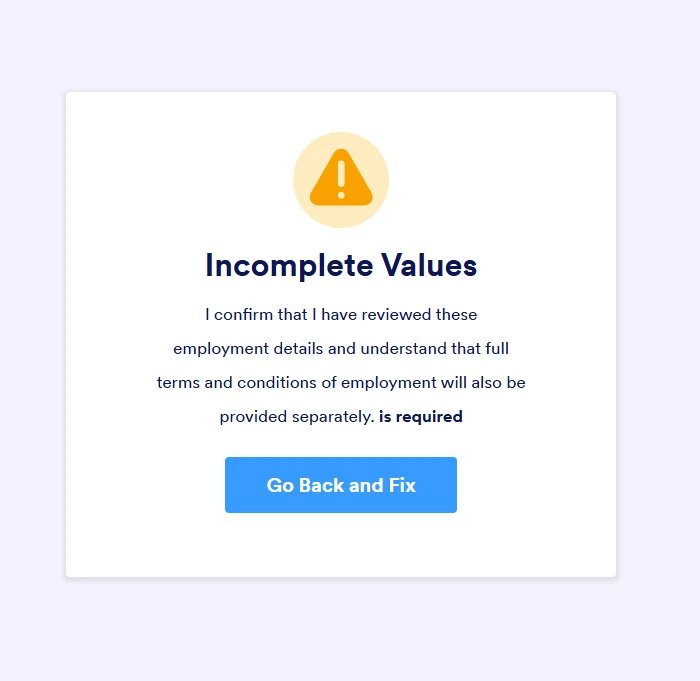
some reason when staff complete the employment form, when they click submit it comes up with this message:
Incomplete ValuesI confirm that I have reviewed these employment details and understand that full terms and conditions of employment will also be provided separately. is required
No one has been able to submit their employment form

-
 Podo: Support Specialist
Hi Ashlee,
Thanks for reaching out to Jotform Support. I'm an AI assistant here to assist you.
From the message you shared, it sounds like a specific confirmation field (the sentence starting with “I confirm that I have reviewed these employment details…”) is set as Required, and your staff are not checking/ticking it before submitting, so the form blocks submission.
Let me help you with that:
- Open your employment form in Form Builder and click on the field that contains the text “I confirm that I have reviewed these employment details and understand that full terms and conditions of employment will also be provided separately.” (this is usually a Checkbox or Single Choice field).
- Click on the Gear icon (field properties), then under the General tab, check if Required is turned on. If you do not want this to block submissions, toggle Required off. If you want to keep it required, make sure the option is clearly visible and that staff know they must tick it before submitting.
- Check the Conditions tab (in the orange bar at the top) to see if there are any conditions related to this confirmation field (for example, conditions that show/hide the Submit button or require that field). If there is a condition that is forcing this field to be required or preventing submission, you can disable or edit that condition.
Tip: After adjusting the Required setting or conditions, use Preview Form and do a test submission yourself to confirm that the form can now be submitted successfully.
Give it a try and let us know how it goes.
Your Reply
Something Went Wrong
An error occurred while generating the AI response. Please try again!