-
 jhanses
Hello,
I am running in to a problem with a report (linked below). There are two open-ended questions at the end of the form that are not appearing on the report.
Please advise,
Michelle
-
 Podo: Support Specialist
Hi Michelle,
Thanks for reaching out to Jotform Support. I'm an AI assistant here to assist you.
Let me help you with that:
From the available information, reports created in Jotform Tables (using the Reports tab type) are based on the fields/columns that are included and visible in the underlying table. If some questions are not appearing in your report, it is typically because those fields are not selected to be shown in the report or are not included as visible columns in the table view the report is using.
Here’s how to check and adjust things step by step:
First, make sure all form fields are visible in Jotform Tables
- Go to Jotform Tables for your form (open your form’s submissions in Tables).
- Check that the columns corresponding to your two open-ended questions are visible and not hidden. If needed, use the column visibility options to show hidden columns.
- Apply the changes so that all relevant fields are displayed in the table before you work with the report.
Next, review or recreate the automated report
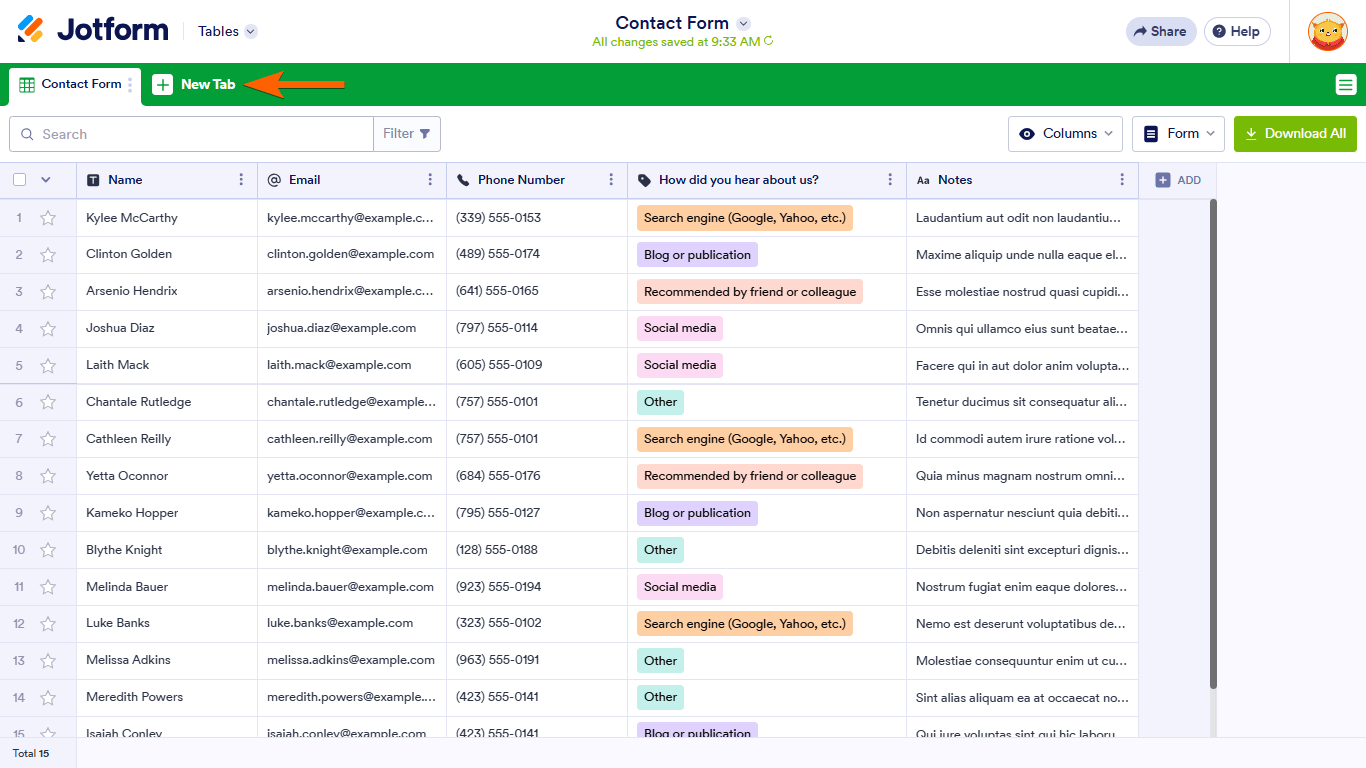
- Click on New Tab at the top of Jotform Tables.
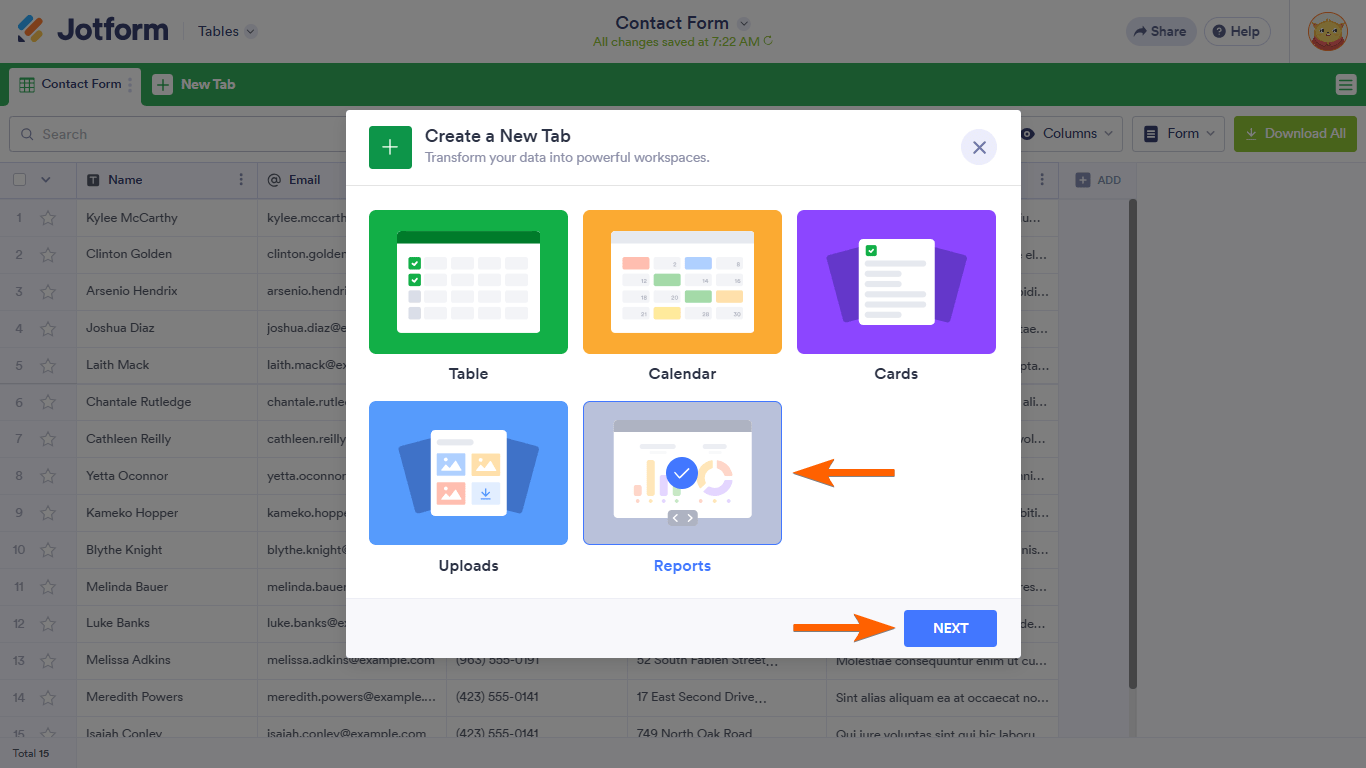
- Select Reports in the dialog that appears.
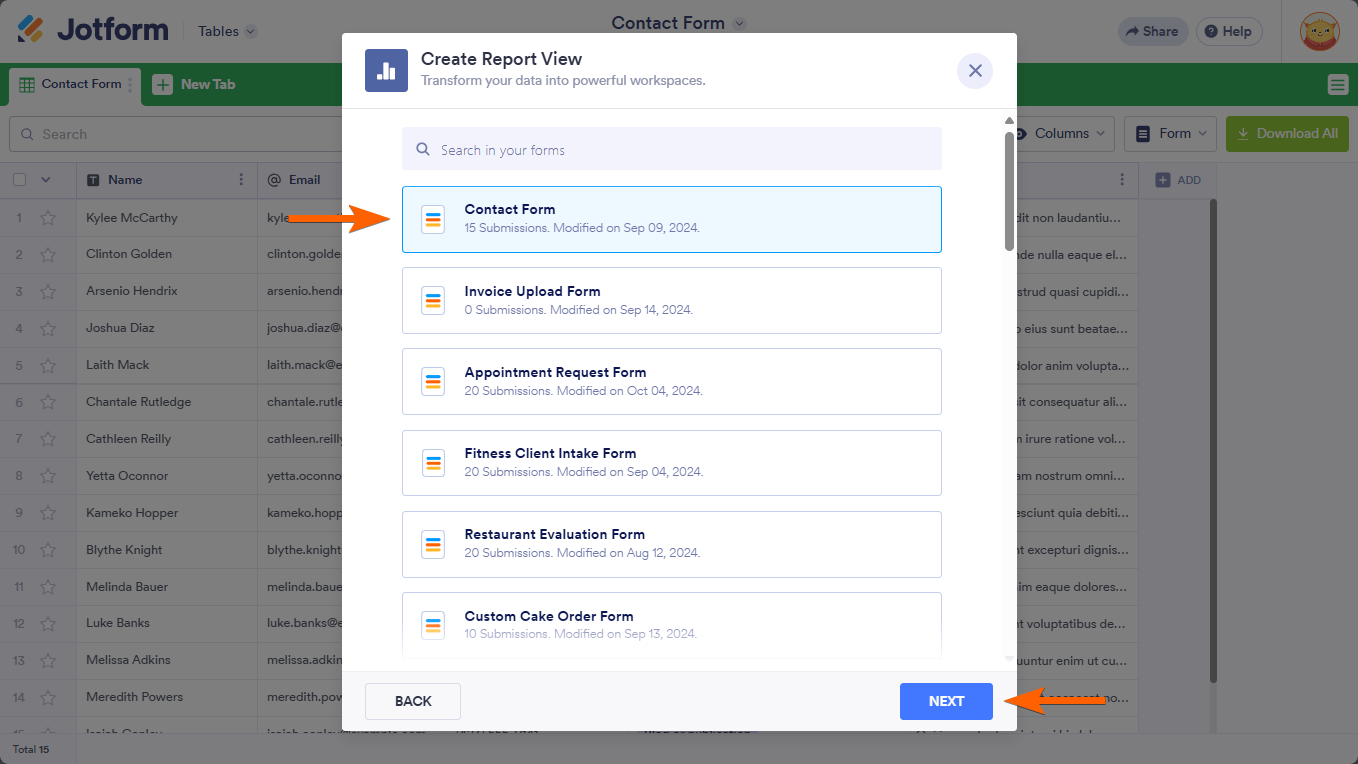
- Choose your form (the same one with the open-ended questions).
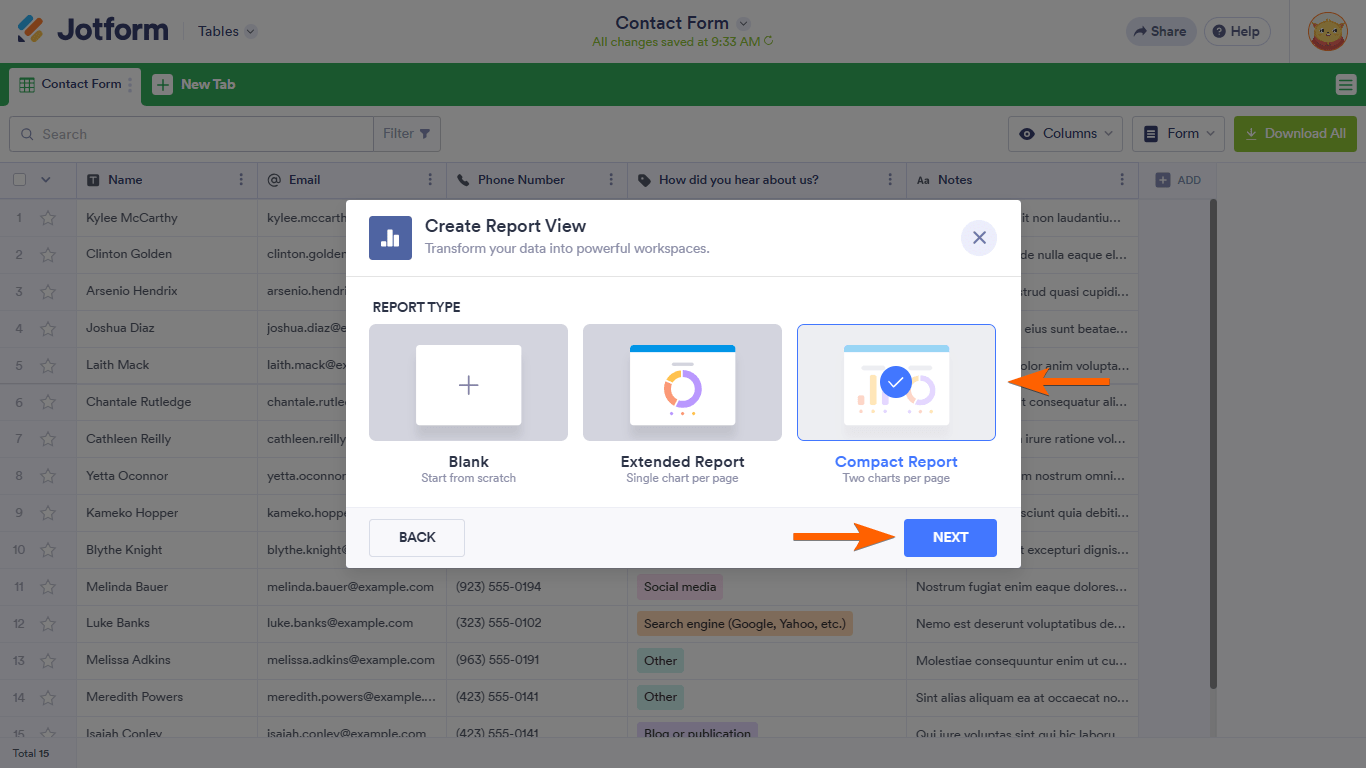
At this point, you can choose a report type:
- Select Extended or Compact to quickly generate a report, or Blank if you want to customize it from scratch.
- Check inside the report view that the widgets or elements you add are using the correct fields (including your two open-ended questions).
- Adjust the report configuration so that those question fields are included wherever you need them (for example, in a submission grid or other visual elements).
Here are some visual references for creating and managing a Reports tab in Jotform Tables:

If after confirming the table columns and recreating or editing the report you still do not see those two open-ended questions, please share which report type you are using (for example, a Reports tab in Tables or another report type) and how you expect those questions to appear (as part of a grid, chart, etc.). After we hear back from you, we’ll have a better idea of what’s going on and how to help.
Let us know if you have any other questions.
-
jhanses
This is still not working for me. I tried recreating the report within the Reports tab in Tables as well as from the More menu when looking at My Workspace.
-
 Lesther Support Team Lead
Hi Michelle,
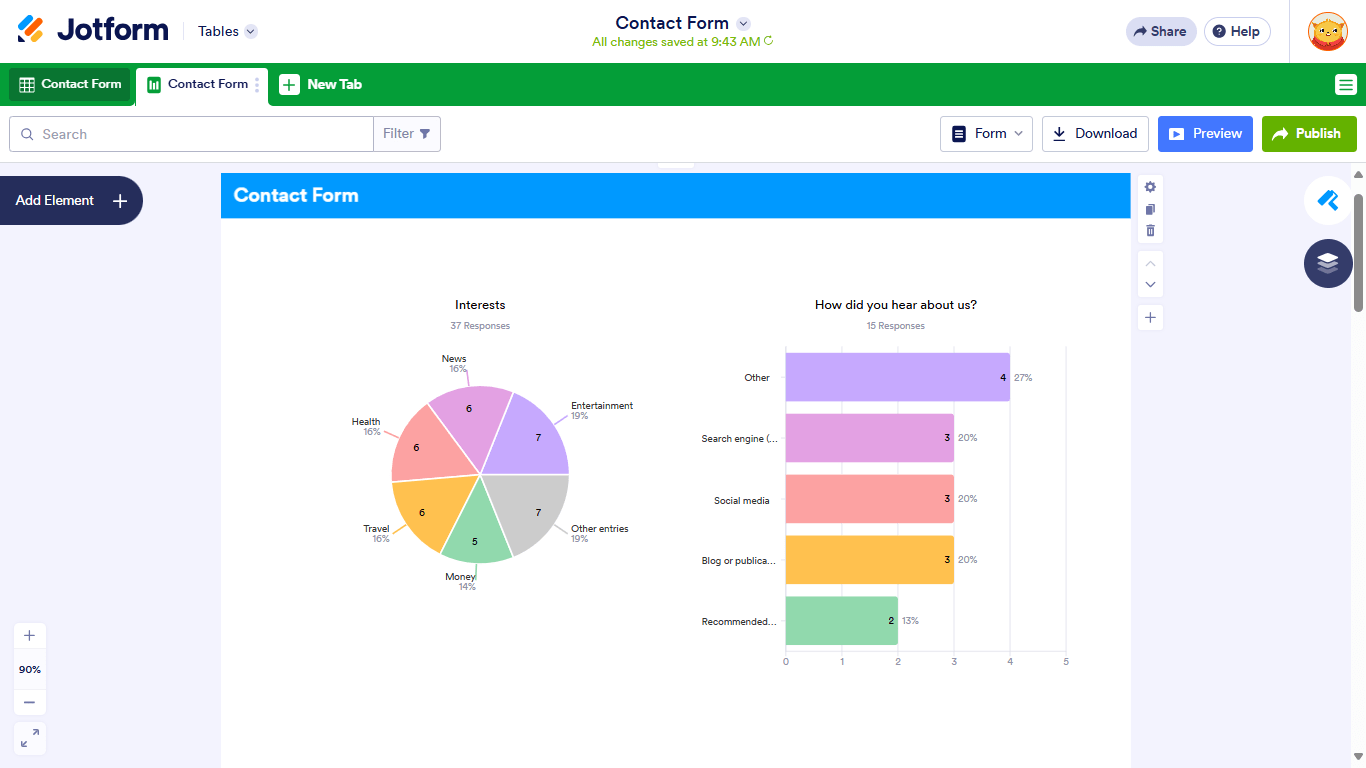
Are you referring to this form? Unfortunately, the last two elements for the open-ended question are a Long Text field, which is not supported in the Visual Report Builder. You can add a Card or Table element in the report, but it won't display as a chart type.
While that feature isn’t available in Jotform right now, I’ve sent your request to our Developers for review. When or if it gets developed will depend on their current workload, how possible it is, and how much demand there is from other users. If/when we have any updates, we’ll follow up here and keep you posted.
-
jhanses
I'm not sure I understand. I have created hundreds of reports in the past that have included text from open-ended questions.
Example: https://www.jotform.com/report/24302578664005429 (page 21).
-
 Kyle JotForm Support
Hi Michelle,
Unfortunately, the report link you shared is inaccessible. Can you share with us the link to your form linked to the report you shared so we can check?
Once we hear back from you, we can help you sort this out.

Your Reply
Something Went Wrong
An error occurred while generating the AI response. Please try again!