
Order Entry App helps teams collect new orders, guide customers to the right products, and keep order activity easy to review in one place. Use it to support custom order requests and standard product selections, whether you run a small online shop, a wholesale desk, a pop-up brand, or a service business that needs clear order details upfront. With quick navigation to create a custom order and a dedicated area for viewing order records, it’s a practical fit for sales reps, front-desk staff, and operations teams who want fewer missed details and faster follow-up.
Built with Jotform, this app template can be tailored with a no-code app builder and a drag-and-drop interface so you can match the experience to your workflow. Connect order forms to the app, organize submitted order data for tracking, and share a self-service link with customers or an internal link with staff. As your process evolves, you can adjust pages, add helpful content, and keep your order entry workflow consistent across devices.
Related templates

Pharmacy App
A pharmacy app is used by pharmacies for logging patient data and filling prescriptions. Need to know how to sell prescriptions online? Patients can download this Pharmacy App on any device and fill out a form with their personal and medical information, make prescription requests, and schedule COVID-19 vaccination appointments. This app also includes a COVID-19 consent form that patients can digitally sign prior to their appointment. Patient data and prescription refill requests are stored in your secure Jotform account for ease of access.Want to make this app template your own? No problem — just use Jotform’s no-code app builder to drag and drop form elements, choose fonts and colors, upload images, customize your app icon, and more. You can also use your splash screen to add informative content and make announcements. When you're finished customizing, share your app by embedding a link in your website or email newsletter. Manage your pharmacy from one convenient location with this free Pharmacy App from Jotform.
Go to Category:Delivery Apps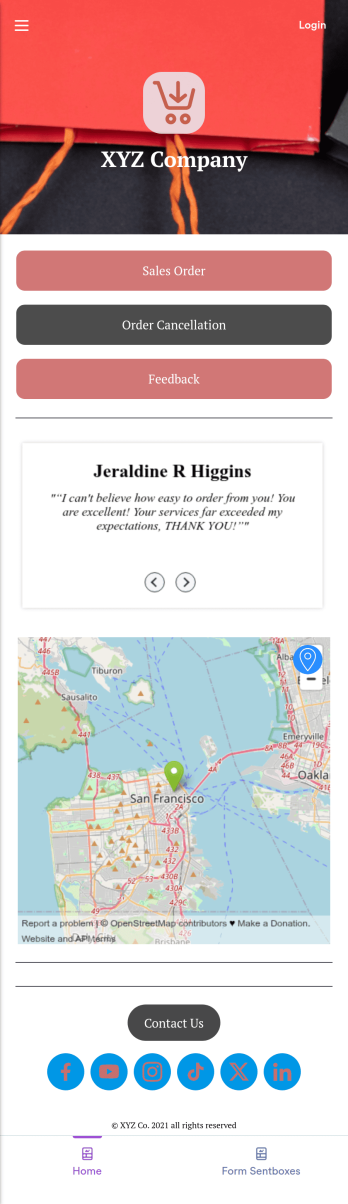
Sales Order App
This Sales Order App provides one convenient location for your customers to place and cancel sales orders. From this readymade app, customers can fill out account and shipping information, choose item and quantity numbers, and pay for their orders by card or PayPal. There is also a separate form for leaving feedback, and you can share testimonials on your splash page. Customers can access and download your app to their smartphone, tablet, or desktop computer for future use.Want to change the look of your Sales Order App? Our drag-and-drop interface makes customization a snap! With a few clicks, you can add forms, choose fonts and colors, upload your own logo, update the app icon and splash page, and more—no coding necessary. With Jotform’s Require Login feature, you can secure your app pages by requiring users to sign in before accessing certain content or features. Once you’re satisfied with your app’s design, simply share a link with your customers and they can start making orders from any device. Simplify your ordering process with this free Sales Order App!
Go to Category:Customer Portal Apps
Custom Handyman App
Let clients book your handyman services or request quotes from any device with Jotform’s free downloadable Handyman App. Once you’ve customized the app to match your service offerings and branding, you can share the app to be saved onto any iOS or Android device or accessed instantly in a web browser via your site. You’ll be notified of each response instantly, so you can respond to service requests fast!Make this app match your business with our drag-and-drop builder. No coding required — quickly add your logo, choose your favorite colors and fonts, personalize the app background and icon, and make other changes in seconds. You can even integrate with 25+ payment processors to receive payments while paying no extra transaction fees to Jotform. Switch from time-consuming phone calls and emails to a powerful mobile Handyman App.
Go to Category:Online Service Apps
Delivery Schedule App
Keep track of customer delivery orders with your own custom Delivery Schedule App — made seamlessly with Jotform. Include helpful tools in your app like payment forms, calendar integrations, contact information, and more depending on your delivery service’s needs. Your company’s delivery drivers and carriers can easily report delivery status and keep everyone on the same page.Want your Delivery Schedule App to match your company branding? No problem! Simply use our drag-and-drop app builder to make changes like choosing fonts and colors you like, uploading branding logos and assets, changing your app’s icon and backsplash, and more! Ensure the completion of all your deliveries with this handy app from Jotform.
Go to Category:Delivery Apps
Alcohol Delivery App
Wondering how to sell alcohol online? With an Alcohol Delivery App from Jotform, your customers can submit delivery details and alcohol orders through a convenient mobile app they’ve downloaded onto their iOS or Android devices. All orders are sent straight to your Jotform account, which sends you automated email notifications — so you and your team can jump on new delivery orders instantly.Customize this Alcohol Delivery App in seconds with our drag-and-drop builder. No coding is required! You can add your products and pricing, including product descriptions or images, and even update the app’s icon, background, fonts, and more for a personalized touch. Sell alcohol online to take your business to the next level and reach a bigger audience with a free Alcohol Delivery App from Jotform.
Go to Category:Delivery Apps
Flower Ordering App
As a florist, you’re a pro at making beautiful bouquets and flower arrangements — but are you wondering how to sell flowers online? With our free Flower Order App, you can easily make your flower shop’s very own app too! This ready-to-use app template includes an order form and feedback form, so you can easily store and share all your forms in one place. Customers can open your app from any device, place orders or leave reviews, and even download your app to their smartphone, tablet, or computer for future use.You’re already familiar with custom orders, so why not customize your Flower Ordering App too? No coding necessary — simply drag and drop to add more forms, change the background or splash screen, upload images or a new icon, update the app name or text, and more. When you’re satisfied with your app’s design, just share the link on your website or social media to start collecting orders from customers. Watch your business bloom with a custom Flower Ordering App that makes it easy to manage your forms, sell flowers online, track orders, and promote your shop all in one place.
Go to Category:E-commerce Apps